
Best Digital Menus and Digital Food Labels for Cruise Ship Dining
Why Cruise Dining Has Outgrown Printed Labels and Static Menus
A cruise ship runs more dining venues in a day than most restaurants run in a week. The buffet turns over for breakfast, lunch, dinner, and late night. Specialty venues, pool grills, and cafés each have their own menus. Every one of those dishes needs a name, a description, and allergen information that guests can trust, and most of it is still printed, cut, and placed by hand. On a single ship that can mean hundreds of label changes every meal period, handled by crew who have plenty of other work to do.
Guests have changed too. They expect to check what is being served from their phone, filter for their allergens or diet, and read the menu in their own language. The best digital menus and digital food labels for cruise ship dining close that gap. They put accurate menu information in front of every guest, at the station and on their phone, without adding work for the crew.
What Are Digital Menus and Digital Food Labels?
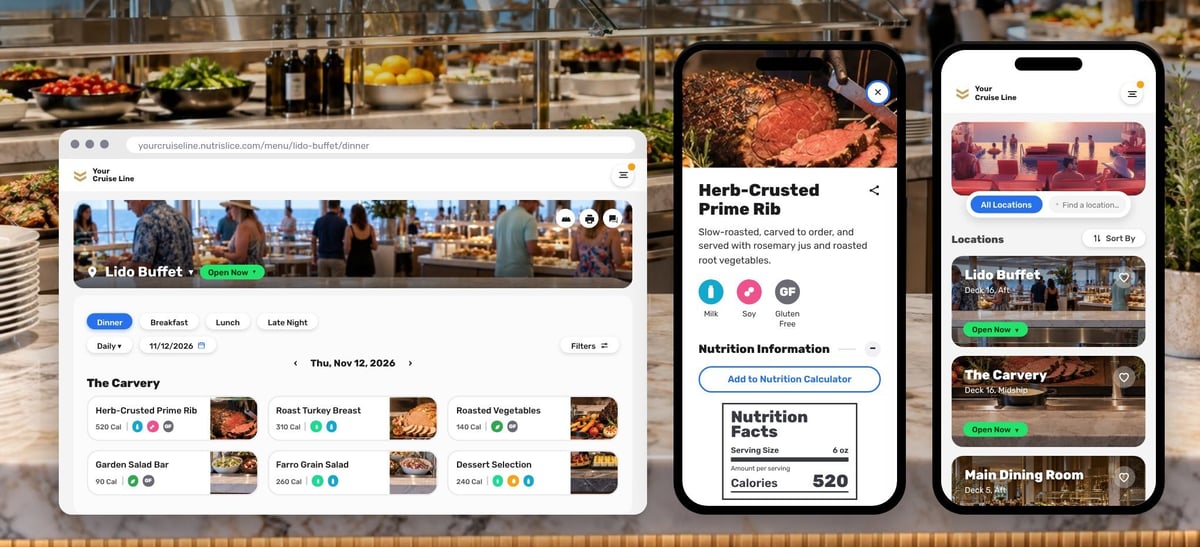
They are two views of the same menu information. Digital food labels are small wireless e-ink displays that sit at the buffet line or station and show the dish name, description, allergens, and dietary icons. Digital menus are the web and mobile menus guests open on their own devices to see what each venue is serving. If you are new to the label side, our post on how digital food labels work covers the basics.
The strongest solutions run both from one set of menu data, pulled from the menu management system your culinary team already uses. Change a dish once and the label at the station and the menu on the guest's phone both change with it.
What to Look for in Digital Menus and Food Labels for Cruise Ships
Cruise dining is not a restaurant, a hotel, or a campus. When you compare options, these are the criteria that matter most on board.
1. One Source of Menu Data for Every Venue
Retyping a menu into a label template, a PDF, and an app is where errors start. Look for a system that connects to your existing menu management system and sends the same information everywhere it is shown. We covered the cost of the alternative in why manual menu updates are costing you time and money.
2. Labels That Change by Meal Period, Station, and Venue
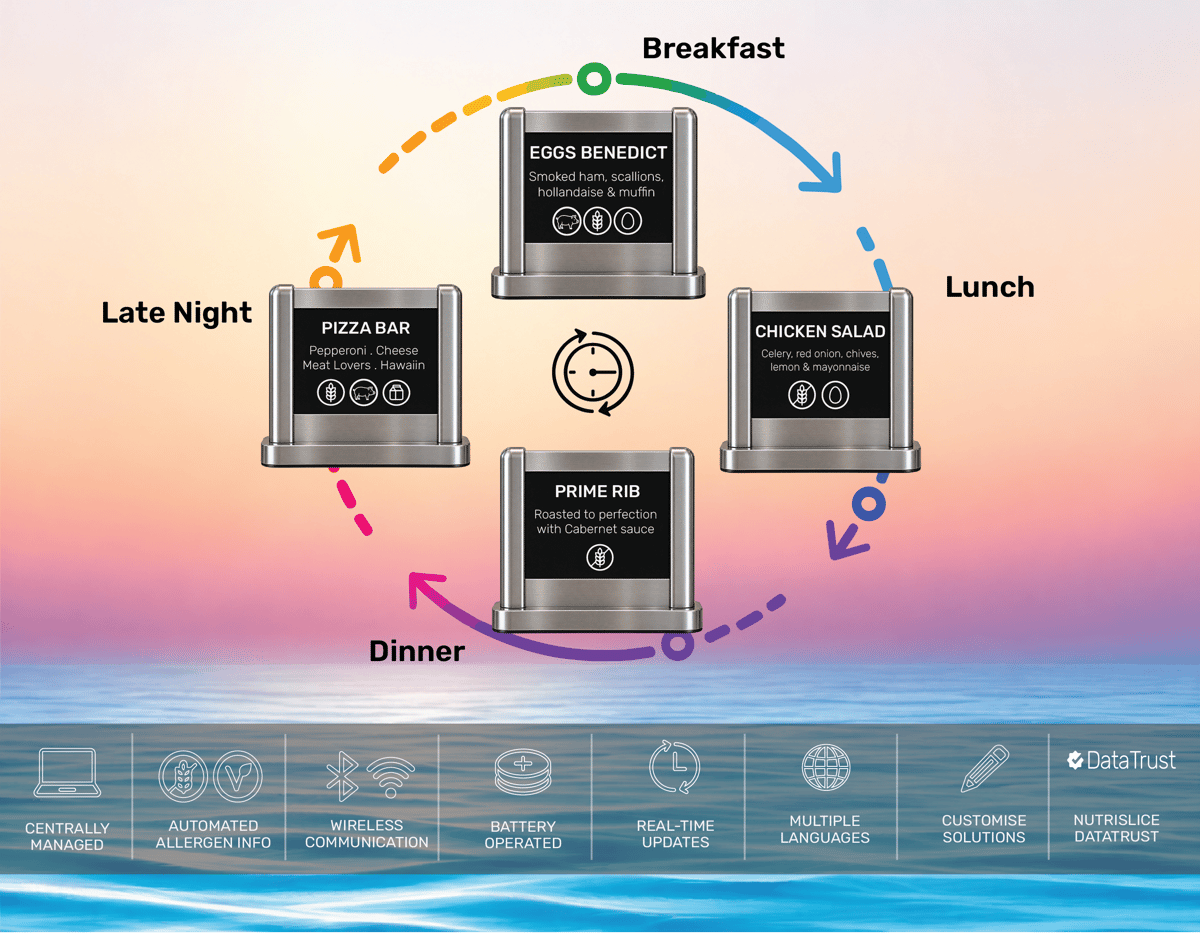
A buffet position that holds eggs Benedict at breakfast holds chicken salad at lunch and prime rib at dinner. The label should follow the schedule on its own. That works best when labels are tied to the venue, station, meal period, and serving position, so crew are not swapping, storing, and reprinting cards three or four times a day.
3. Allergen and Dietary Information Guests Can Trust
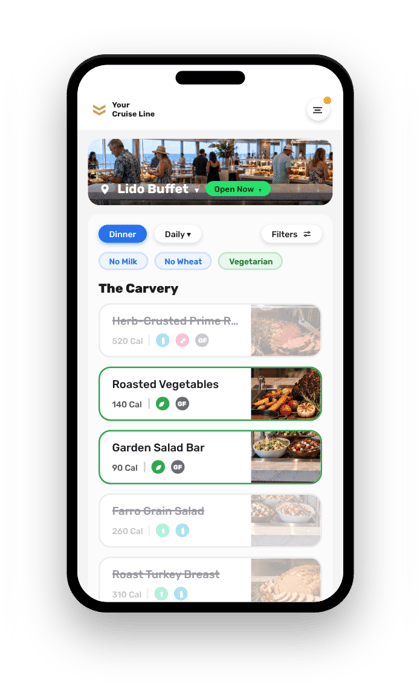
Hand-typed allergens are a risk on any ship. Allergen and dietary details should come straight from your menu data and appear the same way on the label and on the online menu. On the guest's phone, look for allergen and diet filters that clearly mark which dishes fit and which do not, along with nutrition details for guests who want them.
4. Mobile Menus for Every Venue, in Every Guest's Language
Guests come from all over the world and plan their day around where they will eat. Online menus should cover every venue on the ship, work well on a phone, support many languages, and meet current accessibility standards. Accessibility is easy to overlook, and our post on keeping accessible online menus accurate explains why it deserves attention.
5. Changes the Crew Can Make in Seconds
Menus change mid-service. An item runs out, a substitution comes up from the galley, a station closes early. The crew member standing at the station should be able to make that change from a phone or tablet, with no developer and no call to shoreside IT.
6. A Look That Fits Your Brand
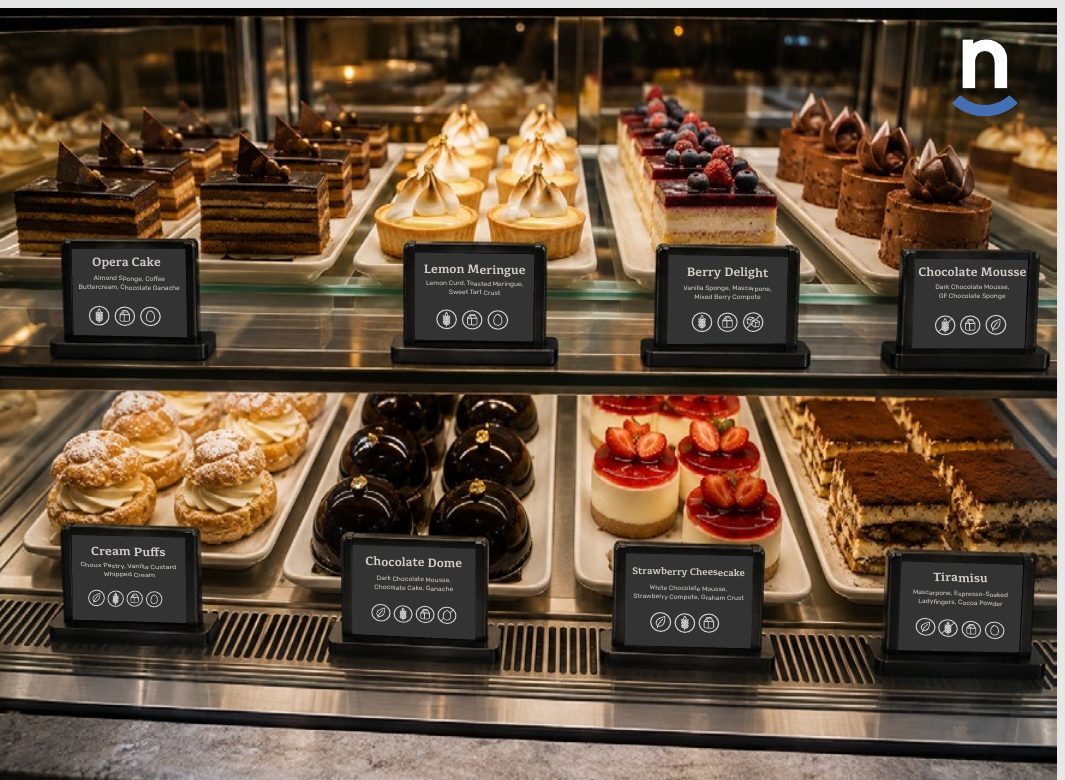
Presentation is part of the product on a cruise ship. Labels should carry your fonts, colors, and logo and sit in frame holders that match the venue. Online menus should look like your cruise line, not like a generic template.
7. Technology That Is Ready for Shipboard Networks
Your IT and security teams will ask how the system connects, what it needs from the ship's network, and what security documentation the vendor can provide. Wireless, battery-operated labels that are managed centrally keep the installation light, and a vendor with real security credentials keeps the review short.
How the Common Approaches Compare
Most cruise lines are weighing some version of these four options.
- Printed labels and PDF menus. Familiar and cheap to start, but every change means reprinting, the styling drifts from venue to venue, and allergen details depend on someone typing them correctly. See our breakdown of the ROI of digital food labels for what print really costs.
- A custom-built app or menu site. Fully yours, but slow and expensive to build, and your team owns the upkeep for as long as it is in service.
- General-purpose signage tools. Good at showing slides on a screen, but not built around menu data, allergens, or meal periods, so someone still has to rebuild content by hand. Screens are also only one kind of signage, as we wrote in why foodservice digital signage won't always look like TVs.
- A purpose-built foodservice menu platform. Connects to your menu data, schedules by meal period, carries allergen and dietary information everywhere, and is maintained for you.
Why Cruise Lines Choose Nutrislice Maritime
Nutrislice Maritime brings the Nutrislice platform, the technology behind more than 30,000 foodservice locations, to cruise, river, and expedition ships. It offers two solutions that run on the same menu data and the same admin.
Digital Buffet Labels
Centrally managed e-ink labels replace printed cards at the station. One label updates automatically for breakfast, lunch, dinner, and late night. Each label shows the dish name, description, allergens, and dietary icons in your branding, with guest information available in multiple languages and an optional QR code for more detail. Crew can make a menu change on the spot from the Sidekick mobile app.
Online Menus for Every Venue
Nutrislice Essentials gives guests branded web and mobile menus for every venue on the ship. Guests can filter by allergen and diet, see nutrition details, ask the AI Menu Concierge a question about what is being served, and read menus in more than 40 languages. The menus are built to WCAG 2.2 AA accessibility standards.
Better Together
Because both run on one platform, a single menu update reaches the label at the station and the menu on the guest's phone. Cruise lines can start with labels, start with online menus, or launch both.
A Simple Way to Start
Most cruise lines begin with a pilot:
- Pick one venue, usually the main buffet
- Connect your existing menu data
- Map labels to the stations and serving positions in that venue
- Review the results with your culinary, hotel operations, and IT teams, then expand to more venues and ships
FAQ: Digital Menus and Food Labels for Cruise Ships
What are the best digital menus and digital food labels for cruise ship dining?
The best option keeps menu information accurate at the station and on the guest's phone from one source of menu data, changes automatically by meal period, and is simple for crew to manage. Nutrislice Maritime is built for exactly that.
Can digital food labels show allergens and dietary information?
Yes. Labels can show allergen and dietary icons alongside the dish name and description, and the same information appears on the online menus, where guests can also filter by allergen or diet.
Do we have to replace our menu management system?
No. Nutrislice does not replace your menu management system. It pulls menu data from the system your team already uses and displays it on labels and online menus.
Can we use digital labels without online menus, or the other way around?
Yes. Digital food labels and online menus each work on their own, and they work best together because one update reaches both.
Bottom Line: Choose a Solution Built for the Way Ships Serve Food
The best digital menus and digital food labels for cruise ship dining take work off the crew and put accurate, good-looking menu information in front of every guest. Look for one source of menu data, labels that follow the meal period, allergen information guests can trust, and mobile menus for every venue. If that is what your ships need, see how Nutrislice Maritime works and schedule a pilot.